Product
9
MIN READ
Manage payment fraud with your own rules in Zru

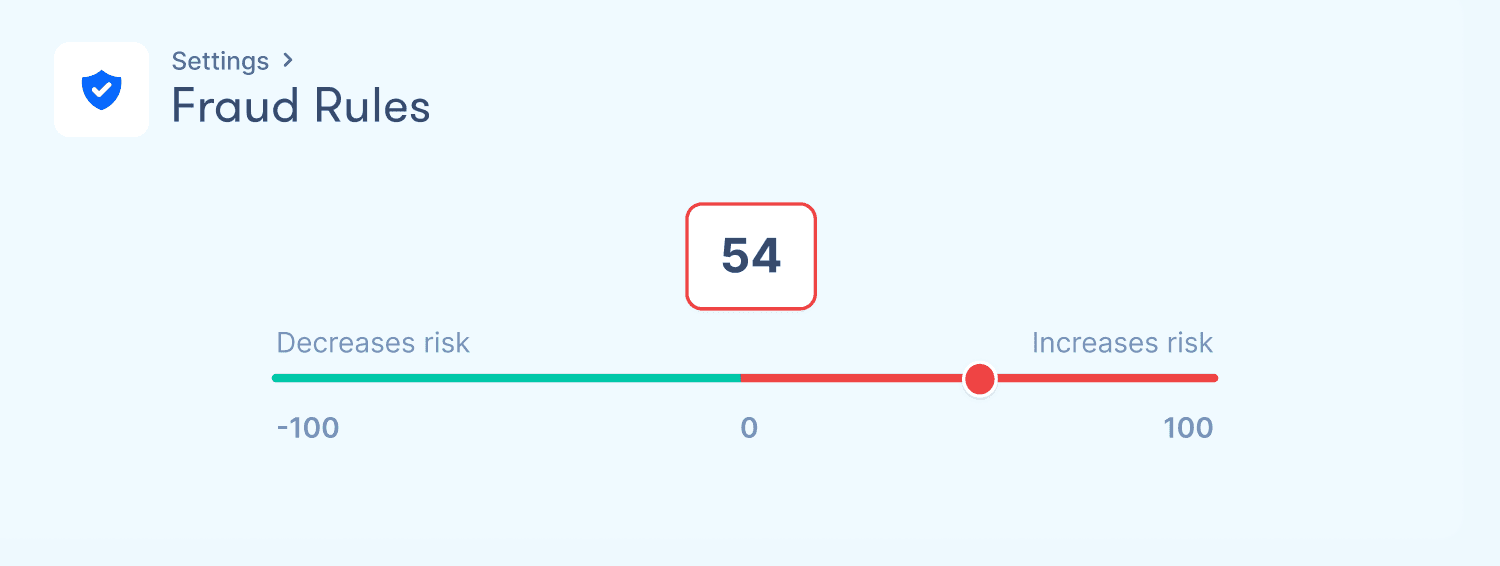
Table of contents
Every business selling online knows that payment fraud is part of operations. To reduce this risk, specialized systems and providers exist. But these systems designed to stop fraud can also block legitimate payments, which adds another problem for teams managing payments.
It can happen that a customer with genuine purchase intent cannot complete the payment because the system flagged it as suspicious. These types of errors also have a cost for the merchant in terms of lost revenue, plus the poor experience it leaves for the customer.
Managing fraud well means controlling both things, and a fraud system like Zru's allows managing it from a layer above the processors.
In Zru, businesses can define their own fraud rules and connect them directly to the orchestration flow. The risk level of each transaction not only determines whether it gets blocked, but what happens with the payment from that moment on: for example, sending it to a specific processor, processing the payment without 3DS, etc.
Payment orchestration as a fraud management layer
Payment processors come with their own fraud prevention tools. Stripe has Radar and Adyen has RevenueProtect, for example. These are solid systems that cover fraud management within their own ecosystem. But orchestration adds a layer on top that makes it possible to go further.
When fraud is managed at the orchestration layer, the rules a company defines are applied consistently regardless of which processor handles each transaction. If a company works with multiple processors, managing fraud through orchestration means it can apply its own risk criteria before each transaction ever reaches a processor.
Another advantage is that the score calculated for each transaction can be used to decide what happens to each payment within the orchestration flow: which processor it gets routed to, whether an additional verification is triggered, or whether it goes through without friction. That way, the fraud score becomes one more variable within the payment and orchestration logic.
How fraud rules work in Zru
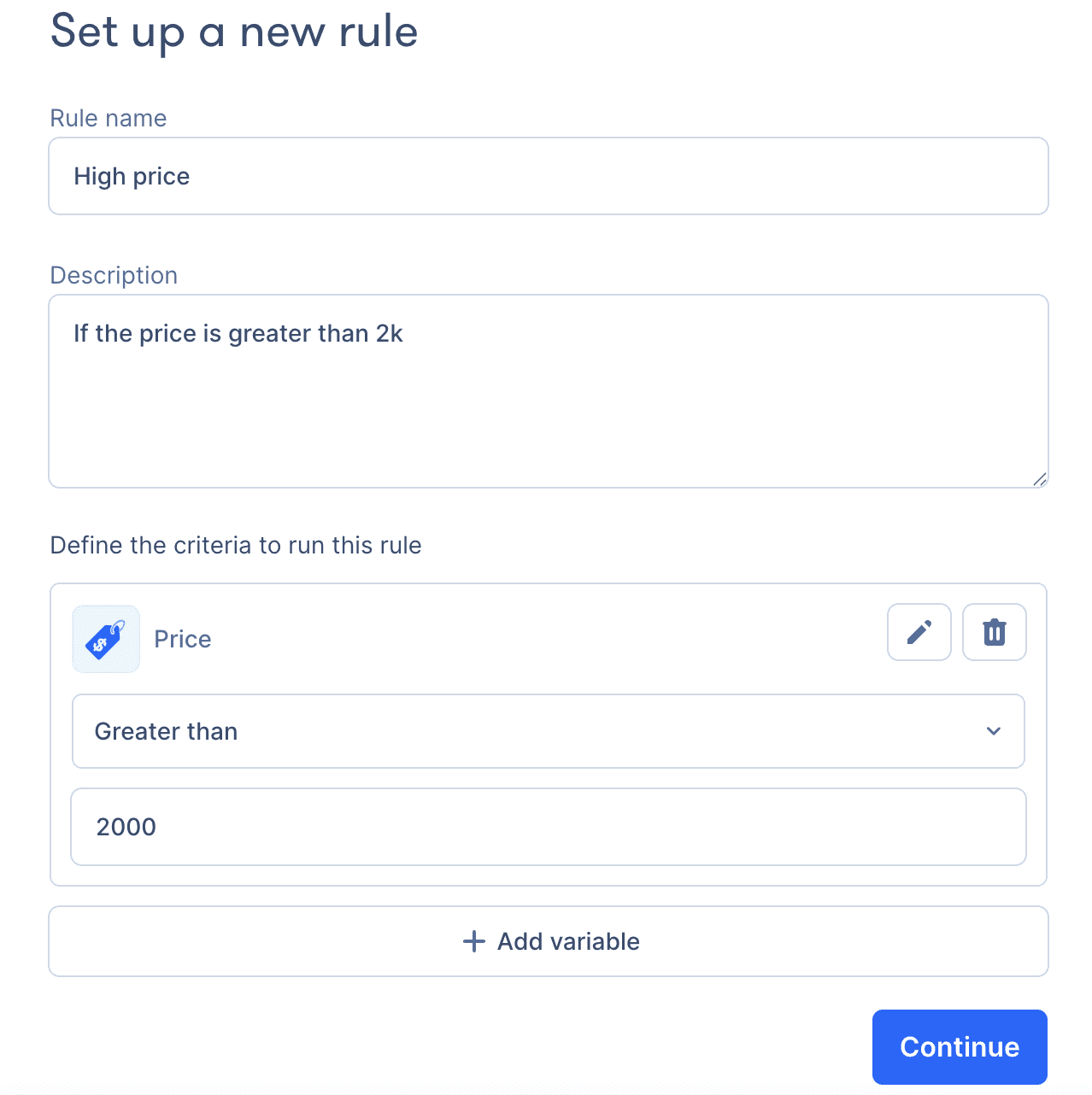
Fraud rules are configured from the dashboard with no technical development required. This lets payments or finance teams create, modify, or disable rules directly, without having to go through the tech team every time they want to make a change.
How the scoring system works
The system assigns a score to each transaction. Each rule has a condition and an associated score, which can be positive or negative. When a transaction comes through Zru, the system evaluates all active rules and adds up the results. If the total score reaches 100, the transaction is blocked. If not, the payment goes through or triggers other actions depending on the orchestration flow (3DS, for example).
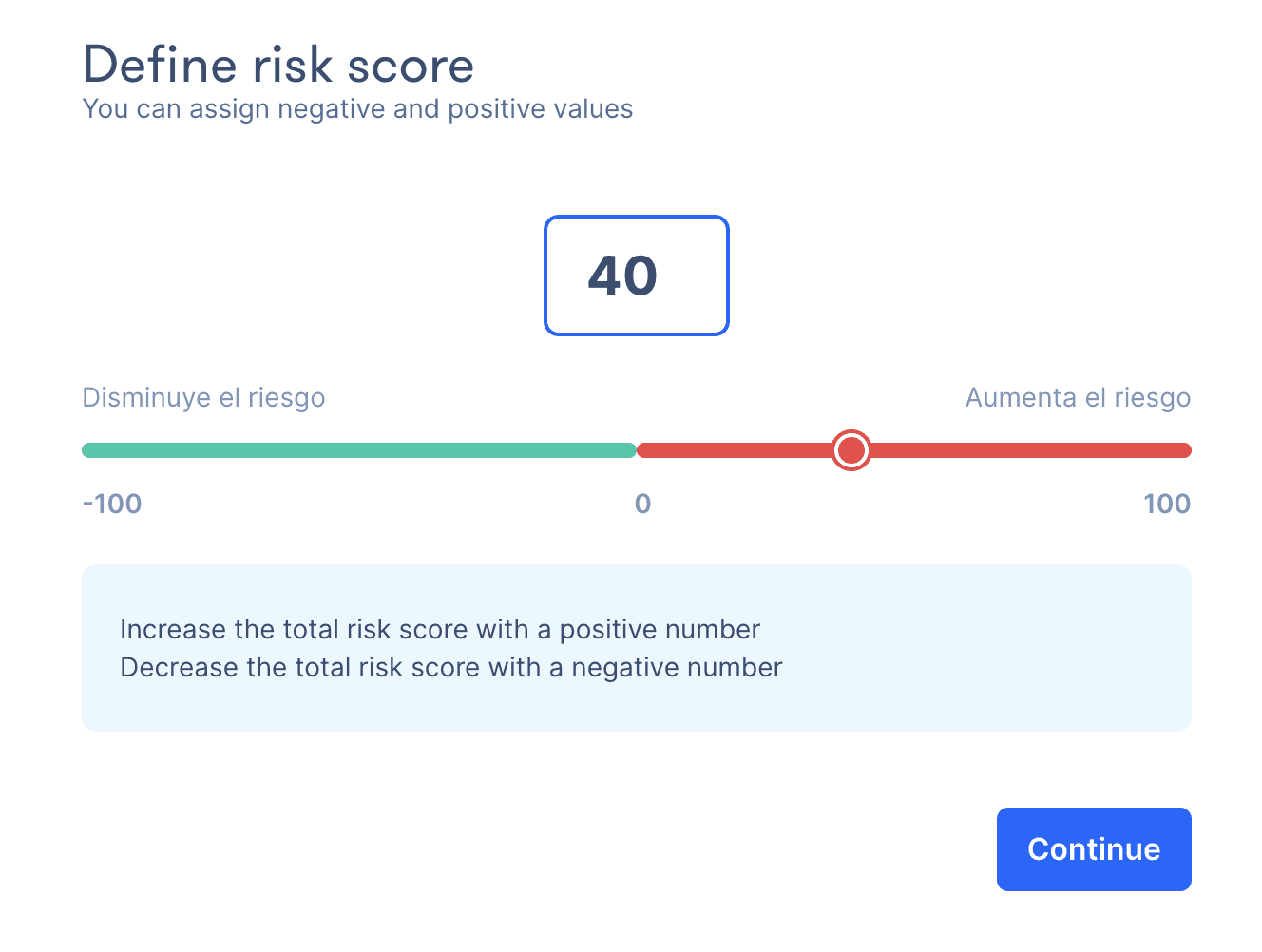
Consider a transaction from a merchant in Spain, for €2,000, where the card was issued in the US, but the buyer is a returning customer:
Amount over €1,500 → +40 points
Card issued in a high-risk country → +40 points
Customer with a clean purchase history over the past 12 months → -50 points
Final score: 30 points → the score doesn't reach 100, so the payment goes through
What variables are available in the Zru dashboard
To build those rules, Zru offers 42 predefined variables grouped into four categories:
Transaction data (amount, currency, charge type…)
Customer data (country, IP, email, device…)
Card data (BIN, brand, country of issue, issuing bank…)
Transaction history (successful or failed transactions by card, email…)
In addition to these predefined variables, Zru allows businesses to add their own custom variables.
The risk score within the orchestration flow
We've already seen how Zru calculates the risk score for each transaction. But in Zru, the fraud score doesn't just determine whether a payment gets blocked. It's also one more variable within the orchestration flow, which means it can trigger different actions depending on the risk level of each transaction.
For example, a company might define the following orchestration flow:
Fraud score below 20: the payment goes through without friction
Score between 20 and 99: the 3DS challenge is triggered before the payment is processed
Score of 100 or above: the transaction is blocked
This makes it possible to reduce false positives. Instead of blocking everything above a threshold, you can require additional verification and let the customer complete their purchase.
Risk lists as a complementary layer
In addition to the fraud rules covered above, Zru allows you to create risk lists to block or mark as trusted specific elements tied to a transaction:
email list
card list
BIN list
IP list
device list
phone list
The difference from rules is that lists don't calculate any score. Lists act directly on the transaction: if an element is on the blocked list, any transaction associated with that element is rejected without going through the scoring system. If it's on the trusted list, its transactions are processed without going through fraud checks.
There are two situations where lists are particularly useful.
The first is when a fraud case is detected. If a fraudulent transaction is identified in the Activity section of the dashboard, you can block the associated card, BIN, IP, or email from that same transaction with a single click. No additional configuration needed. Any subsequent payment attempt using that same element will be blocked automatically.
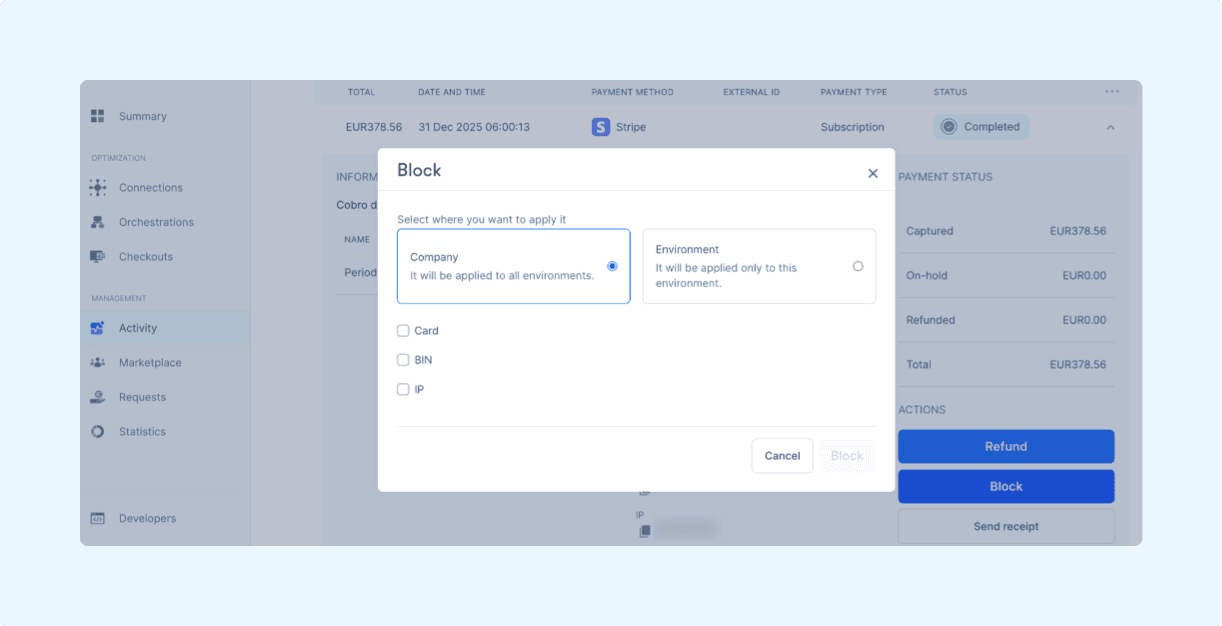
The second is the opposite. A regular customer with a strong purchase history can be marked as trusted so their transactions skip fraud checks. This prevents a good customer from running into unnecessary friction simply because one of their characteristics matches a risk pattern.
Benefits for your team and your business
Managing fraud with your own rules at the orchestration layer has a direct impact on the business.
In Zru, each company defines its rules based on its own risk profile, its markets, and its customer type. The result is a fraud strategy that's more closely aligned with the reality of the business and, as a result, more effective.
Applying responses that are proportional to the risk, such as triggering 3DS instead of blocking outright, reduces false positives. Fewer legitimate payments declined by mistake means less lost revenue and fewer customers left with a bad experience. Marking regular customers as trusted adds another layer of protection for the buyers who least deserve any friction.
The payments or finance team can adjust rules from the dashboard whenever needed, without going through development and without relying on support from the processor or from Zru. When a new fraud pattern emerges, the response can be immediate.
And if the company works with multiple processors, all fraud management happens in one place. There's no need to manage separate criteria per processor or consolidate data from different sources to get a complete view of risk.
Set up your first rules in Zru
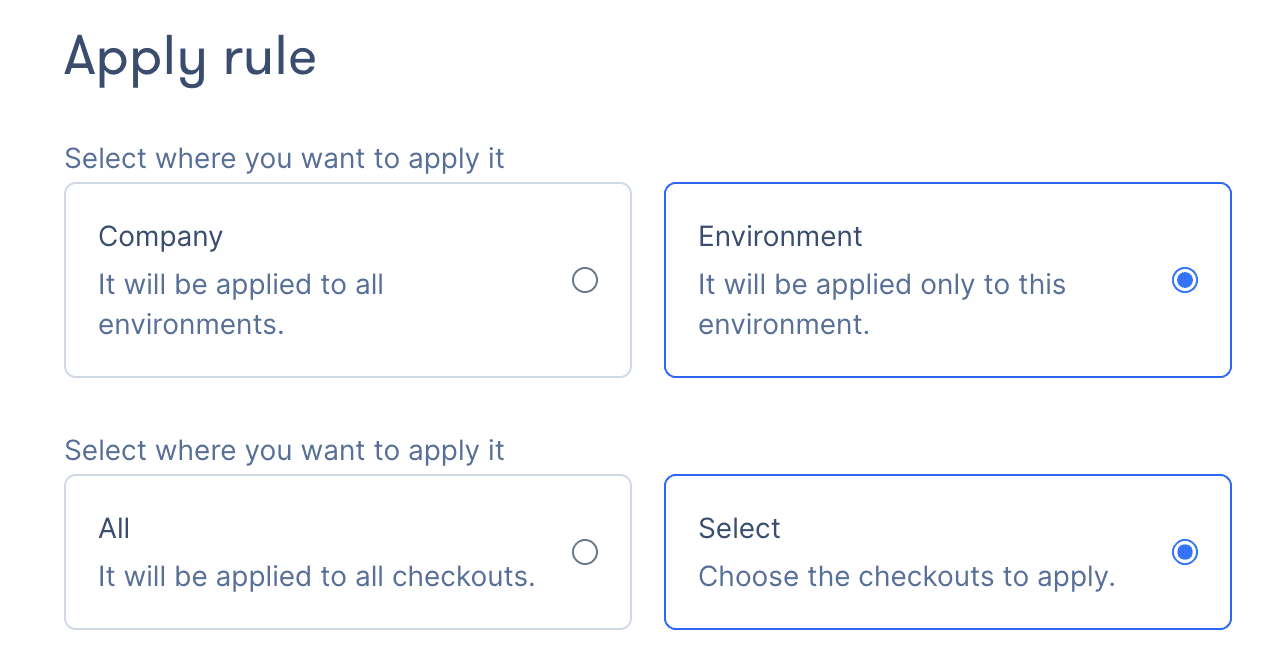
Fraud rules are managed from the Settings section of the Zru dashboard. From there you can create, edit, and disable rules, manage risk lists, and define at what level each configuration applies: across the entire company, for a specific environment, or for specific checkouts.
If you want to dig into how each part works, you can check out our Zru Academy guide.
If you'd like to see how it would fit into your current payment flow, the Zru team can walk through it with you and help you define your first rules.
Product
9
MIN READ
Manage payment fraud with your own rules in Zru
Table of contents
Every business selling online knows that payment fraud is part of operations. To reduce this risk, specialized systems and providers exist. But these systems designed to stop fraud can also block legitimate payments, which adds another problem for teams managing payments.
It can happen that a customer with genuine purchase intent cannot complete the payment because the system flagged it as suspicious. These types of errors also have a cost for the merchant in terms of lost revenue, plus the poor experience it leaves for the customer.
Managing fraud well means controlling both things, and a fraud system like Zru's allows managing it from a layer above the processors.
In Zru, businesses can define their own fraud rules and connect them directly to the orchestration flow. The risk level of each transaction not only determines whether it gets blocked, but what happens with the payment from that moment on: for example, sending it to a specific processor, processing the payment without 3DS, etc.
Payment orchestration as a fraud management layer
Payment processors come with their own fraud prevention tools. Stripe has Radar and Adyen has RevenueProtect, for example. These are solid systems that cover fraud management within their own ecosystem. But orchestration adds a layer on top that makes it possible to go further.
When fraud is managed at the orchestration layer, the rules a company defines are applied consistently regardless of which processor handles each transaction. If a company works with multiple processors, managing fraud through orchestration means it can apply its own risk criteria before each transaction ever reaches a processor.
Another advantage is that the score calculated for each transaction can be used to decide what happens to each payment within the orchestration flow: which processor it gets routed to, whether an additional verification is triggered, or whether it goes through without friction. That way, the fraud score becomes one more variable within the payment and orchestration logic.
How fraud rules work in Zru
Fraud rules are configured from the dashboard with no technical development required. This lets payments or finance teams create, modify, or disable rules directly, without having to go through the tech team every time they want to make a change.
How the scoring system works
The system assigns a score to each transaction. Each rule has a condition and an associated score, which can be positive or negative. When a transaction comes through Zru, the system evaluates all active rules and adds up the results. If the total score reaches 100, the transaction is blocked. If not, the payment goes through or triggers other actions depending on the orchestration flow (3DS, for example).
Consider a transaction from a merchant in Spain, for €2,000, where the card was issued in the US, but the buyer is a returning customer:
Amount over €1,500 → +40 points
Card issued in a high-risk country → +40 points
Customer with a clean purchase history over the past 12 months → -50 points
Final score: 30 points → the score doesn't reach 100, so the payment goes through
What variables are available in the Zru dashboard
To build those rules, Zru offers 42 predefined variables grouped into four categories:
Transaction data (amount, currency, charge type…)
Customer data (country, IP, email, device…)
Card data (BIN, brand, country of issue, issuing bank…)
Transaction history (successful or failed transactions by card, email…)
In addition to these predefined variables, Zru allows businesses to add their own custom variables.
The risk score within the orchestration flow
We've already seen how Zru calculates the risk score for each transaction. But in Zru, the fraud score doesn't just determine whether a payment gets blocked. It's also one more variable within the orchestration flow, which means it can trigger different actions depending on the risk level of each transaction.
For example, a company might define the following orchestration flow:
Fraud score below 20: the payment goes through without friction
Score between 20 and 99: the 3DS challenge is triggered before the payment is processed
Score of 100 or above: the transaction is blocked
This makes it possible to reduce false positives. Instead of blocking everything above a threshold, you can require additional verification and let the customer complete their purchase.
Risk lists as a complementary layer
In addition to the fraud rules covered above, Zru allows you to create risk lists to block or mark as trusted specific elements tied to a transaction:
email list
card list
BIN list
IP list
device list
phone list
The difference from rules is that lists don't calculate any score. Lists act directly on the transaction: if an element is on the blocked list, any transaction associated with that element is rejected without going through the scoring system. If it's on the trusted list, its transactions are processed without going through fraud checks.
There are two situations where lists are particularly useful.
The first is when a fraud case is detected. If a fraudulent transaction is identified in the Activity section of the dashboard, you can block the associated card, BIN, IP, or email from that same transaction with a single click. No additional configuration needed. Any subsequent payment attempt using that same element will be blocked automatically.
The second is the opposite. A regular customer with a strong purchase history can be marked as trusted so their transactions skip fraud checks. This prevents a good customer from running into unnecessary friction simply because one of their characteristics matches a risk pattern.
Benefits for your team and your business
Managing fraud with your own rules at the orchestration layer has a direct impact on the business.
In Zru, each company defines its rules based on its own risk profile, its markets, and its customer type. The result is a fraud strategy that's more closely aligned with the reality of the business and, as a result, more effective.
Applying responses that are proportional to the risk, such as triggering 3DS instead of blocking outright, reduces false positives. Fewer legitimate payments declined by mistake means less lost revenue and fewer customers left with a bad experience. Marking regular customers as trusted adds another layer of protection for the buyers who least deserve any friction.
The payments or finance team can adjust rules from the dashboard whenever needed, without going through development and without relying on support from the processor or from Zru. When a new fraud pattern emerges, the response can be immediate.
And if the company works with multiple processors, all fraud management happens in one place. There's no need to manage separate criteria per processor or consolidate data from different sources to get a complete view of risk.
Set up your first rules in Zru
Fraud rules are managed from the Settings section of the Zru dashboard. From there you can create, edit, and disable rules, manage risk lists, and define at what level each configuration applies: across the entire company, for a specific environment, or for specific checkouts.
If you want to dig into how each part works, you can check out our Zru Academy guide.
If you'd like to see how it would fit into your current payment flow, the Zru team can walk through it with you and help you define your first rules.